




It is no longer a question of whether artificial intelligence can write a song. The question, after a year of breakneck model releases, pricing overhauls, and a growing pile of half-finished demos sitting in cloud storage, is which tool fits a real workflow without wasting hours on trial and error. I have been testing several browser-based AI music platforms over the past few months, and one name that keeps surfacing in creator forums is an AI Music Generator platform that promises full songs from text prompts in under a minute. The pitch sounds almost too straightforward: type a description, wait a few seconds, download a complete track. Yet the gap between a promising demo and something you can actually use in a video project, a podcast, or a client pitch can be wide. I decided to spend focused time with the tool to see where that gap sits, how the creation flow actually feels, and what kind of user would genuinely benefit from adding it to their toolkit.
Two Creation Paths That Serve Radically Different Needs
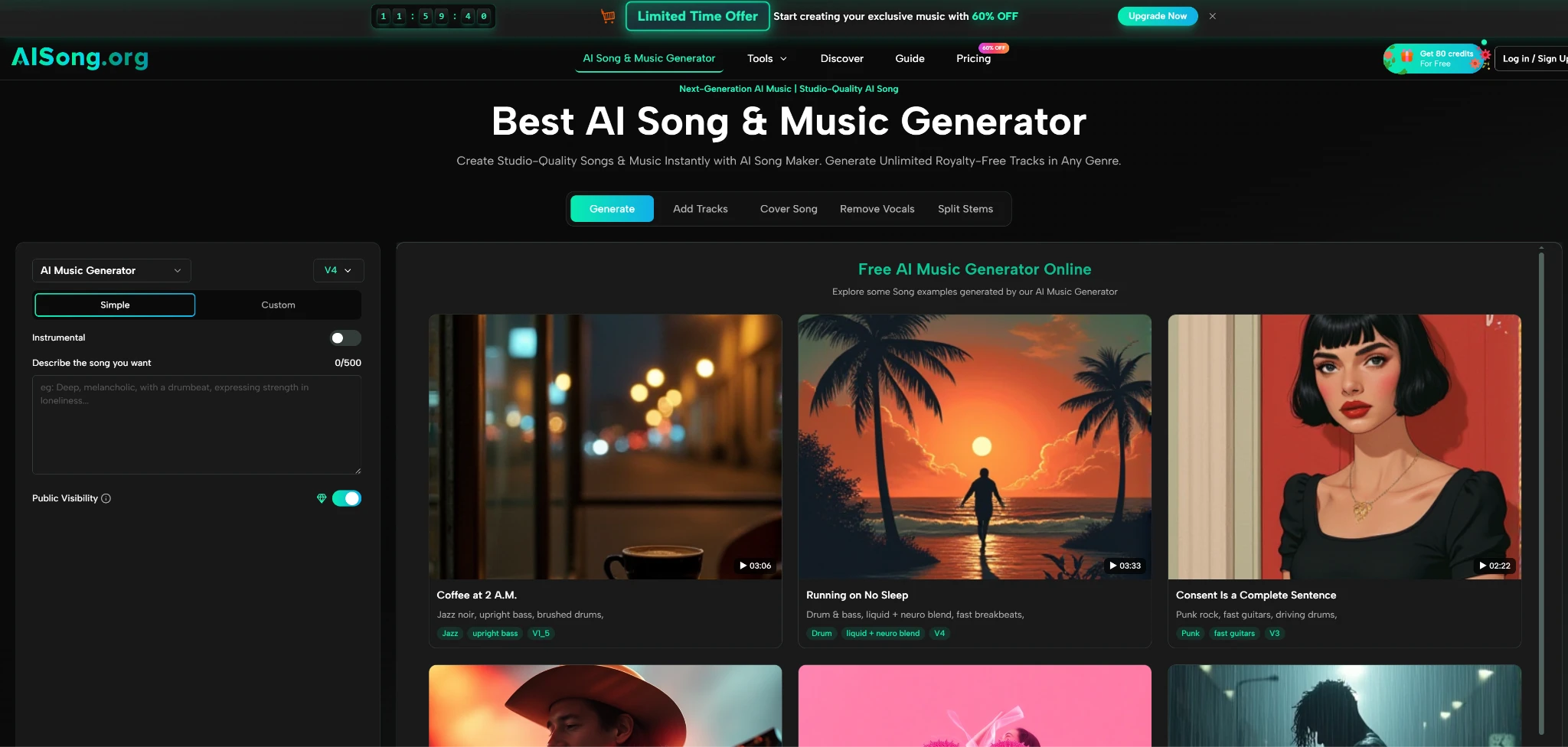
The platform organizes its entire generation pipeline around two modes, and the choice between them determines whether you are steering the creative process or simply watching it unfold. This is not a subtle preference toggle — in my testing, the two modes produced noticeably different types of output, and picking the wrong one for a given task led to results that felt either over-engineered or frustratingly out of my control.
Simple Mode for Speed-First Prototyping
Simple Mode hands virtually everything to the AI after a single text description. In one test, I entered “a lo-fi hip hop track with a relaxed groove, warm piano chords, and soft vinyl crackle, suitable for a study playlist background” and received a complete track with melody, arrangement, and a gentle rhythmic structure within approximately twenty seconds of streaming start time. The AI handled what would normally require separate decisions about key, tempo, instrumentation, and mixing — and it made those decisions invisibly.
Where Simple Mode Shines and Where It Stumbles
The immediate strength is turnaround speed. For a content creator who needs background music for a YouTube tutorial and does not want to spend thirty minutes browsing royalty-free libraries, the workflow of typing a mood and getting a usable track feels almost unfair compared to traditional search-and-license pipelines. The generation queue on the free tier is shared, meaning you may wait during peak hours, but in my testing the wait rarely exceeded what I would spend searching a stock music site anyway.
The trade-off is predictability. When I ran the same lo-fi prompt five times across different sessions, the output quality was generally consistent, but the specific melodic direction varied considerably. One version leaned heavily into jazz-influenced piano voicings that felt genuinely atmospheric; another came out with a more mechanical chord progression that would work for background use but lacked character. From a practical user perspective, this means Simple Mode is better suited to quantity-over-precision tasks where you can generate multiple takes and pick the one that fits — rather than situations where you have a specific harmonic idea in mind and need the AI to follow it exactly.
Custom Mode for Lyric-Driven and Structural Control
Custom Mode shifts the creative balance back toward the user. Instead of a single prompt, you can provide your own lyrics — optionally structured with section markers like Verse, Chorus, and Bridge — along with a style description and a song title. In one session, I wrote a short set of lyrics about driving through a desert at dusk, specified “cinematic indie folk with reverb-heavy electric guitar and male vocals,” and titled the track before submitting.
How Structural Input Changes theOutput
The difference was immediately audible. Because the AI had explicit section cues, the song followed a recognizable verse-chorus-verse-chorus-bridge structure, with dynamic shifts that matched the lyrical content. The chorus opened up sonically with wider stereo imaging and fuller instrumentation, while the verse pulled back to a sparser arrangement — exactly what a human producer would do. In my testing, the structural tags were not always followed with perfect precision; on one generation, the second verse was noticeably shorter than the first. Re-running the same input produced a version with balanced section lengths, which suggests that some variability is inherent to the generation process and that checking multiple takes is a practical necessity when structure matters.
The Custom Mode also supports an AI Lyrics Generator that builds complete lyrics from keywords or themes — in one test, I entered “nostalgia, summer rain, city lights” and received multiple versions with proper verse-chorus formatting. The generated lyrics were coherent and thematically consistent, though the emotional depth varied: some versions used more concrete imagery, while others leaned on broader sentiment. For songwriters seeking inspiration or a starting point to revise, this feature functions more like a structured brainstorming partner than a finished-words machine, which in my view is the healthier way to approach it.
The Step-by-Step Reality of Generating a Track
What the marketing pages describe as “three simple steps” translates into a specific on-screen experience that matters more to daily usability than any feature list. Here is what the flow actually looks like once you are on the creation page, based on my repeated use across multiple sessions.
Step One — Describe or Write Your Musical Idea
The first screen presents the mode choice alongside an input area that adapts to your selection. In Simple Mode, a single text field accepts plain-language descriptions — the platform encourages natural phrasing like “an energetic pop-rock anthem about chasing dreams,” and in my testing, more specific prompts consistently yielded better results. Vague prompts like “a happy song” produced generic-sounding output with little melodic identity, while prompts that included genre, tempo hints, and emotional tone gave the AI more to work with.
The Prompt Quality Effect on What You Hear
I tested this systematically: the same genre prompt with and without descriptive adjectives produced noticeably different output quality. “A rock song” gave me competent but anonymous guitar-driven backing; “a driving rock track with punchy drums, distorted rhythm guitar, and an anthemic chorus reminiscent of early-2000s alternative” produced something with actual energy and a recognizable hook. The lesson from my testing is straightforward — the AI does not read your mind, and the effort you put into describing what you want directly shapes what comes back.
Step Two — Select a Model and Let the AI Build the Track
Once the prompt or lyrics are submitted, the platform processes the input through the selected AI model version. The model selection screen offers multiple options ranging from faster, lower-cost engines suitable for quick demos to higher-tier models optimized for professional-quality output with extended duration support up to eight minutes. In my testing, I primarily used the mid-range and higher-tier models for evaluation, as the faster engines are clearly designed for experimentation and learning rather than final output.
What Happens During Generation
The generation itself begins streaming audio within approximately ten to thirty seconds, with the complete track finishing in roughly three to five minutes depending on model choice, track length, and current server load on the shared queue. The platform saves all creations automatically to free cloud storage, which means you do not lose earlier takes when generating multiple versions — a practical detail that matters when you are iterating on the same idea across several attempts.
Step Three — Listen, Compare, and Export
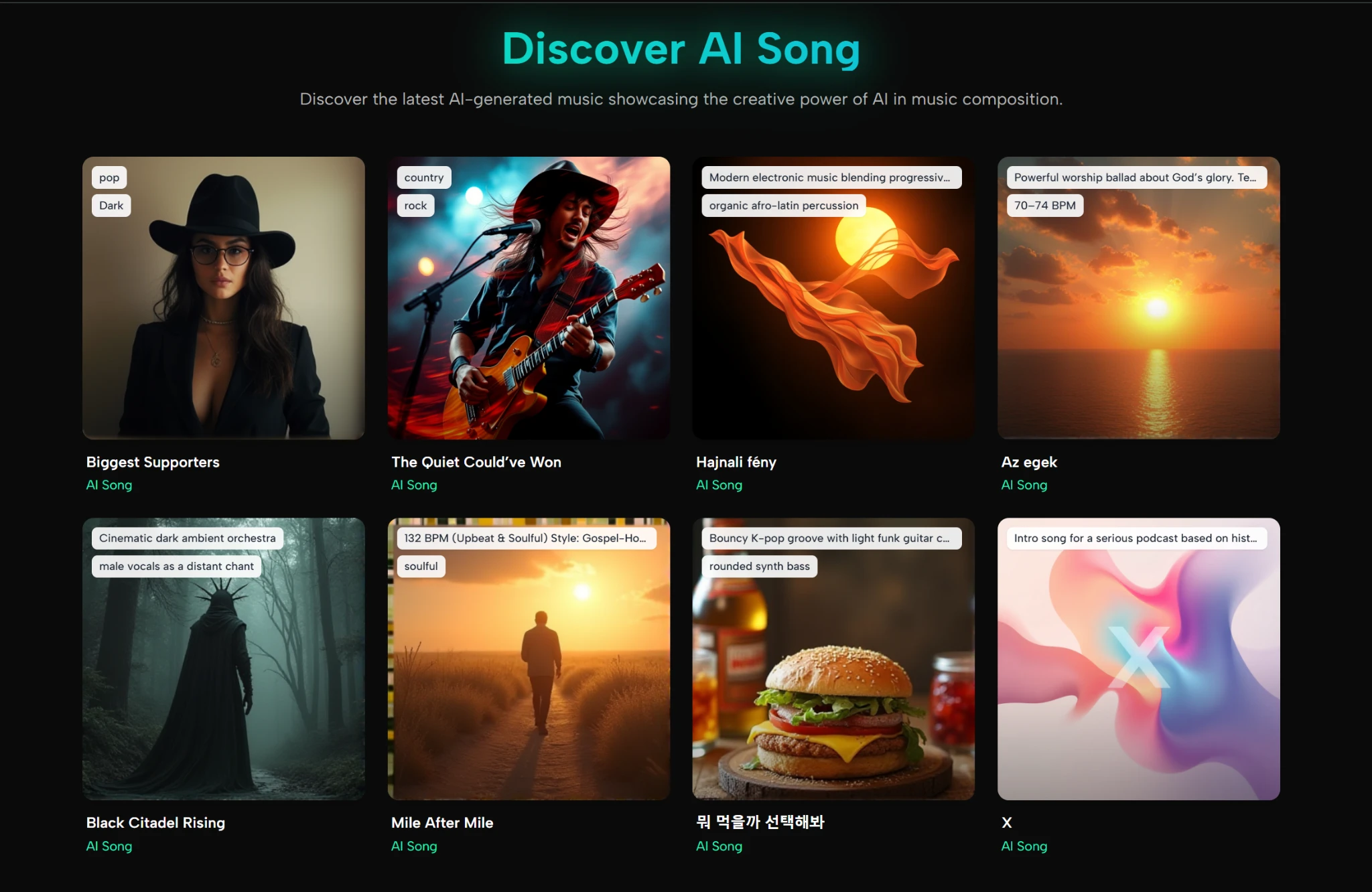
After generation completes, the track appears in your library with playback controls and download options. The interface keeps previous generations accessible, so you can A/B test different versions side by side — something I found genuinely useful when trying to decide between two takes of the same Custom Mode input. Paid plans include a commercial use license and private storage options, which matters for anyone planning to use the output in client work or monetized content.
The Download and Usage Reality
Tracks download as MP3 files. The platform does not currently offer stem exports or individual track separation for external mixing — a limitation worth noting for producers who want to fine-tune the bass, isolate the vocals, or rebalance the drums in a separate DAW. For content creators who need a finished stereo file ready to drop into a timeline, the limitation is largely irrelevant. For audio professionals expecting post-production flexibility, it is a meaningful constraint to factor into the decision.
Where the Tool Fits in Actual Creator Workflows
Rather than making abstract claims about “revolutionizing music creation,” it is more useful to map specific user scenarios against what the tool demonstrably handles well and where it shows strain. After testing across several use cases, a clearer picture emerged of who benefits and who should look elsewhere.
Short-Form Video Creators and Social Media Producers
For TikTok, Instagram Reels, and YouTube Shorts creators who need original background tracks quickly and cannot afford licensing headaches, the platform fills a genuine gap. The generation speed means you can produce multiple stylistic options for a single video concept in the time it would take to browse one royalty-free library. The royalty-free commercial license on paid plans removes the attribution and clearance friction that complicates stock music usage. In my testing, the output quality for common short-form genres — lo-fi, upbeat pop, cinematic underscore — was consistently usable, though not always memorable.
Podcasters and Long-Form Content Producers
The support for tracks up to eight minutes on higher-tier models makes the platform viable for podcast intros, outros, and segment transitions. The ability to generate purely instrumental versions is particularly useful here, as vocal elements can clash with spoken content. One nuance I noticed in testing: the AI sometimes added subtle melodic flourishes that, while musically interesting, would distract from voiceover. Picking simpler style descriptions and avoiding prompts that mention “complex” or “intricate” arrangements helped produce cleaner background material.
Independent Musicians and Songwriters
For artists who want to sketch song ideas, test genre combinations, or break through creative blocks, the Custom Mode offers a genuinely useful sandbox. The AI Lyrics Generator can spark directions you might not have considered, and hearing your lyrics sung back with full production within minutes provides a rapid feedback loop that traditional demo production cannot match. That said, the output should be treated as a sketch or reference track, not a finished master. The lack of stem exports and the occasional structural inconsistency mean that anyone aiming for a polished commercial release will likely want to re-record and produce the song through traditional means, using the AI-generated version as a production reference.
Marketing Teams and Advertising Producers
For rapid prototyping of jingles, campaign soundtracks, or mood-board audio, the speed-to-output ratio is hard to beat. A marketing team brainstorming three different tonal directions for a brand campaign could generate a folk version, an electronic version, and an orchestral version of the same lyrical concept within fifteen minutes and present them side by side for internal review. The commercial license on paid plans covers this use case cleanly. The caveat is that for high-stakes campaigns where originality and legal clarity are paramount, AI-generated music may not yet satisfy the due diligence requirements that large brands typically demand.
A Quick Comparison Against Common Alternatives
The AI music generation space now includes multiple credible platforms, and choosing between them often comes down to workflow preferences rather than raw output quality. The following table maps how this platform compares to other common options across dimensions that affect daily use.
| Dimension | This Platform | General-Purpose AI Music Tools | Traditional Royalty-Free Libraries |
| Creative Control | Two distinct modes with structural input | Typically prompt-only or limited customization | None — pre-composed tracks only |
| Generation Speed | Streaming starts in 10-30 seconds | Varies widely by platform | Instant browsing, but search time adds up |
| Learning Curve | Minimal — plain-language prompts | Moderate — often requires prompt engineering | None musically, but licensing terms vary |
| Output Originality | AI-generated, unique per generation | AI-generated, similar variability | Fixed catalog, risk of overused tracks |
| Commercial Licensing | Included on paid plans | Varies — some platforms restrict commercial use | Typically requires per-track licensing |
| Post-Production Flexibility | MP3 download only, no stem export | Varies — some offer stems, some do not | Full stems rarely available |
Real Limitations Worth Acknowledging
No tool in this space is without trade-offs, and glossing over them does a disservice to anyone trying to make an informed decision. Based on my testing and research, here are the practical limitations that surfaced repeatedly.
Generation Consistency. Running the same prompt or lyrics multiple times does not guarantee identical structural or melodic results. This is inherent to the underlying AI approach and not unique to this platform, but it means that achieving a specific vision may require several generation attempts. For Simple Mode background music, this variability is manageable. For Custom Mode songs where you have a precise arrangement in mind, it can become time-consuming.
Emotional Depth and Vocal Expressiveness. The AI handles genre conventions competently — pop sounds like pop, folk sounds like folk — but the vocal delivery can sometimes feel emotionally flat, particularly on ballads or songs that demand nuanced phrasing. In my testing, faster, higher-energy tracks masked this limitation better than slower, more exposed arrangements. Comparing the same ballad prompt across different model versions showed that higher-tier models produced more natural vocal dynamics, suggesting the ceiling is rising but the floor remains uneven.
Prompt Sensitivity. The quality of output is heavily dependent on prompt specificity. Users who are new to describing music in words may find the learning curve steeper than the interface suggests. I found that prompts including genre, tempo, instrumentation, and emotional tone consistently outperformed vague descriptions, but crafting effective prompts took deliberate practice across multiple sessions.
No Stem Export. The inability to download individual instrument or vocal tracks limits the platform‘s usefulness for professional mixing and mastering workflows. If your pipeline involves fine-tuning EQ, compression, or reverb on individual elements in a DAW, the stereo MP3 output will feel restrictive.
Free Tier Limitations. The free plan includes a limited number of monthly credits, operates on a shared generation queue, and makes generated songs publicly visible. For casual experimentation, this is adequate. For anyone producing content regularly or requiring private storage, the paid plans become necessary relatively quickly.

What Kind of Creator Actually Benefits
If your daily work involves producing video content, podcasts, social media posts, or creative prototypes where having original, royalty-free music quickly is more important than having a Grammy-level production, this platform solves a real problem efficiently. The combination of generation speed, commercial licensing, and cloud storage creates a workflow that is meaningfully faster than traditional music sourcing.
If you are a professional music producer, mix engineer, or artist aiming for a polished commercial release, the tool is better positioned as an idea generator and reference-track creator rather than a final-output solution. The AI Song Generator model that handles full production from a single prompt is genuinely impressive as a creative assistant — it just is not yet a replacement for a human producer who understands your specific artistic intent.
The broader takeaway from weeks of testing across multiple AI music platforms is that the technology has crossed the threshold from novelty to utility for a specific set of use cases. Whether it fits your workflow depends less on whether the AI is “good enough” and more on whether the gap between what you need and what the tool delivers falls within your tolerance for iteration, variability, and creative compromise. For a growing number of content creators, the math increasingly favors hitting generate over searching a stock library.